Free Project Portfolio Calendar Template for Excel
Six projects. Three approaching deadlines. One place to see what needs attention.
Individual project plans tell you what each team is doing. This portfolio calendar brings their dates together. See project starts and finishes, spot overlapping schedules and track the milestones that are slipping.
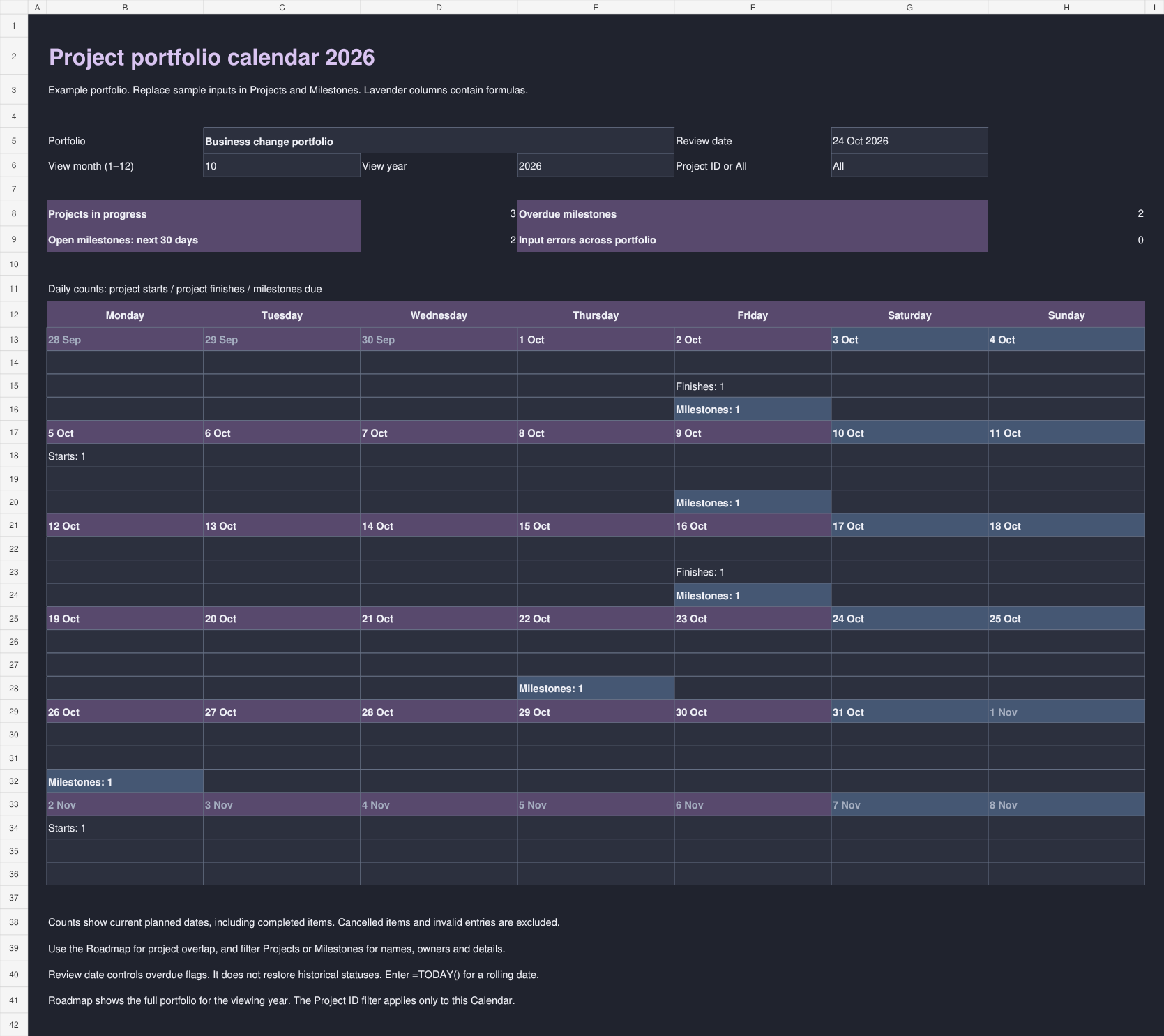
Download the 2026 or 2027 workbook in a light or dark theme. Each has space for 50 projects and 200 milestones, with a monthly calendar and an annual roadmap.
Download the Excel templates See the previews
Download the project portfolio calendars
Choose your year and theme. All four workbooks contain the same features and editable example entries.
What is in the workbook?
| Worksheet | Use it to |
|---|---|
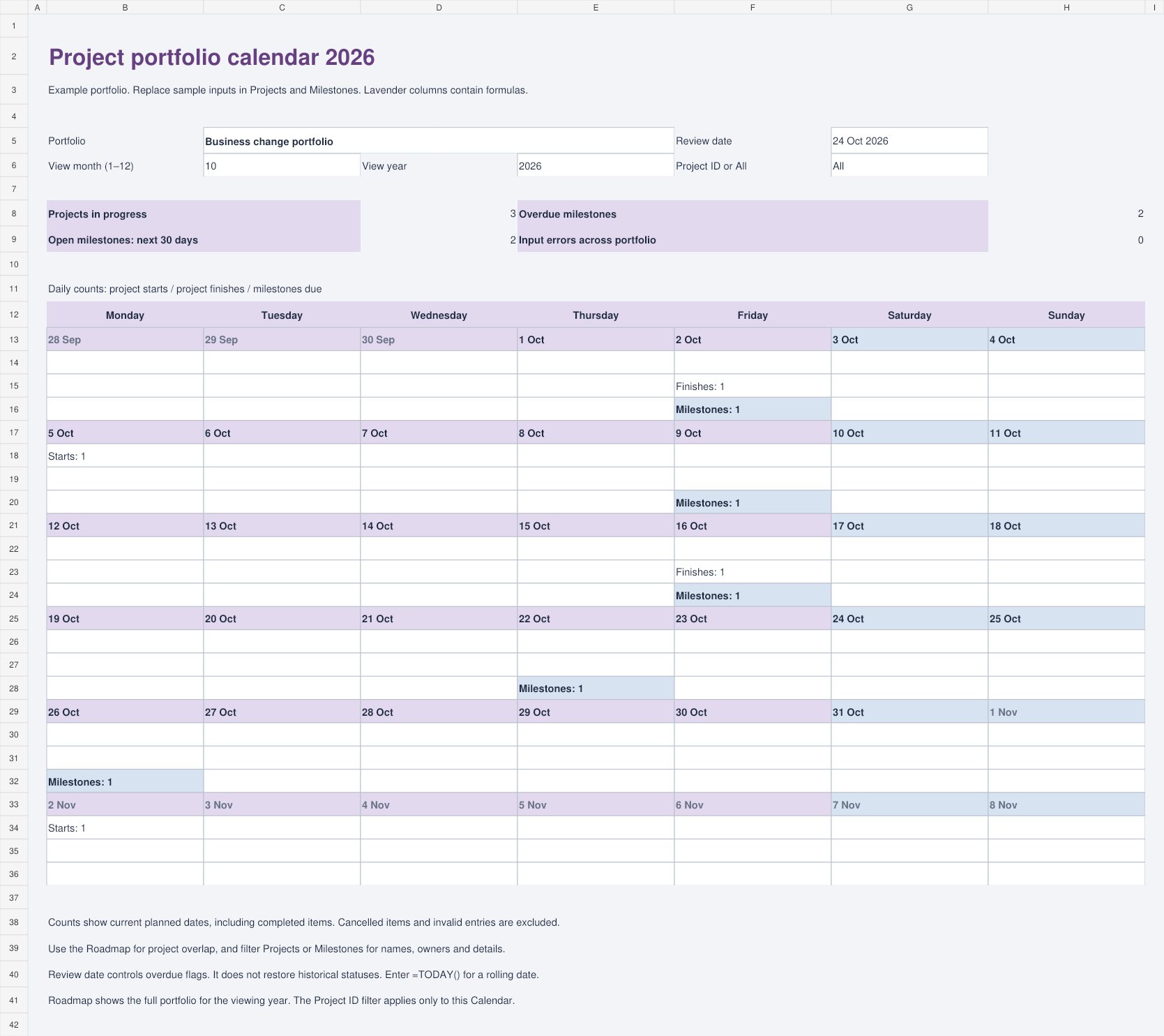
| Calendar | See daily counts of project starts, finishes and milestones. View the whole portfolio or enter one Project ID. |
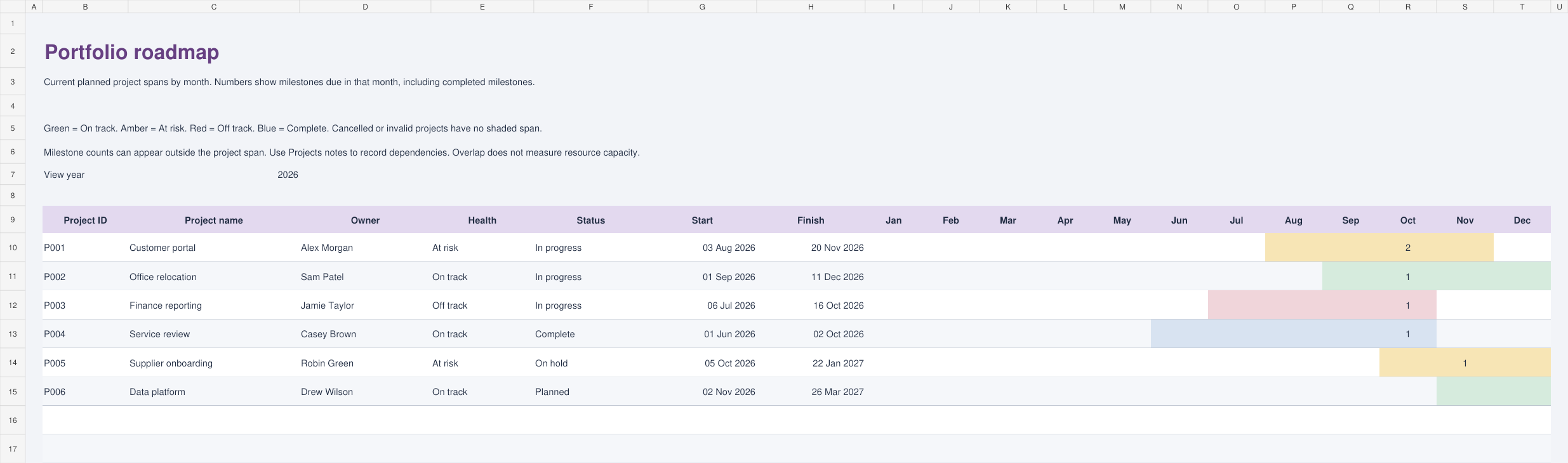
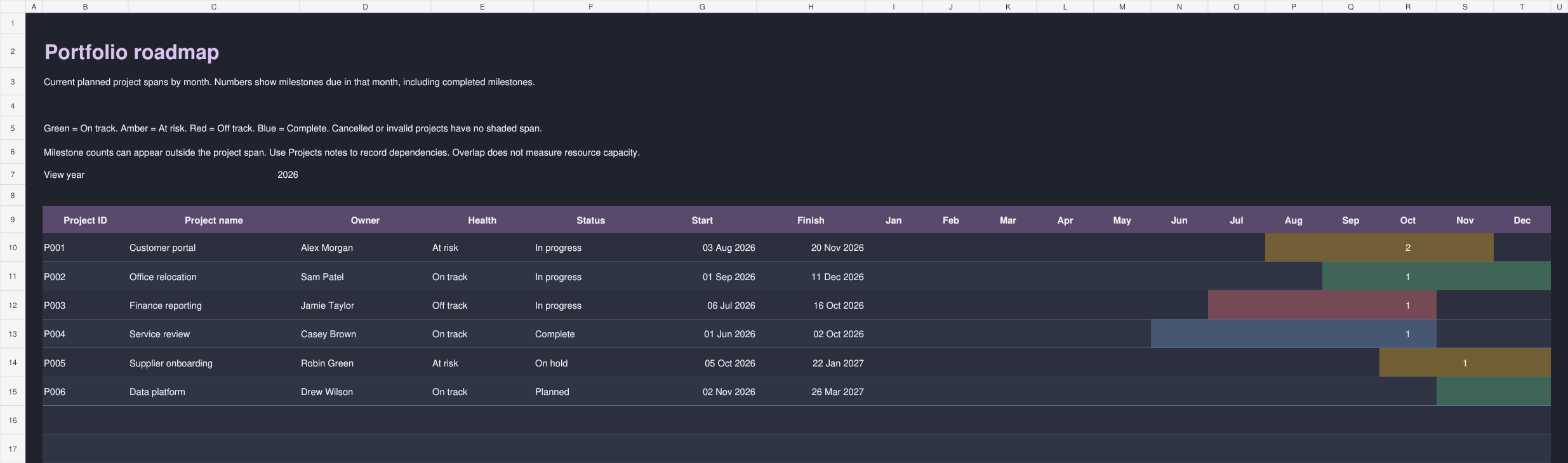
| Roadmap | Compare project spans across 12 months, with health colours and milestone counts. |
| Projects | Record owners, sponsors, priorities, health, status, dates, progress and dependencies for up to 50 projects. |
| Milestones | Track up to 200 approvals, decisions, deliveries and other key dates. Compare baseline and current dates and flag overdue items. |
| Resources | Open related Stakeholdermap templates. |
Light and dark previews
The screenshots below show the example portfolio supplied with the 2026 workbooks.
How to use the portfolio calendar
- Replace the example projects. Give each project a unique Project ID. Add its owner, sponsor, planned dates, priority and health. Enter progress as a percentage.
- Add milestones. Use the matching Project ID to link each milestone to its project. Enter its owner, current due date and status. Add a baseline date when you want to track date changes.
- Set the review date. On Calendar, enter the date you are reviewing against. This controls overdue flags. Use
=TODAY()if you want it to move with today's date. - Choose a month and year. Leave the project filter as All for the full portfolio, or enter a Project ID. The Roadmap always shows the full portfolio for the selected year.
- Keep the records current. Update status, health and progress at each review. Enter an actual completion date when you mark a milestone Complete. Leave the shaded formula columns intact.
Use it in your portfolio review
Start with overdue milestones. Who owns each one, what is holding it up, and does another project depend on it? Then look at the next 30 days. An approval that needs a sponsor's time deserves attention before it turns red.
Move to the Roadmap to spot overlapping delivery periods. If two projects need the same specialists in November, record the dependency and agree the order of work. The roadmap shows overlapping dates; it does not calculate whether those people have enough available hours.
For example, the sample customer portal depends on the finance reporting project. A late reporting milestone is a reason to check the portal's delivery date, even if that date has not yet moved.
Common questions
Does the monthly calendar show milestone names?
It shows daily counts to keep the calendar readable. Use the Projects and Milestones registers to find names, owners and details.
What do the roadmap colours mean?
Green means On track, amber means At risk, red means Off track and blue means Complete. Health is entered manually. Cancelled projects and invalid entries have no shaded project span.
Why does a completed milestone still appear?
The calendar shows scheduled dates, including completed items. Completed milestones stop counting as overdue. Cancelled milestones and milestones linked to cancelled projects are excluded.
Can I change the year?
Yes. The viewing year controls the calendar and roadmap. Changing it does not move dates in your project or milestone records.
Can I use the review date to recreate an old report?
The date changes the overdue calculation, but it does not restore previous statuses or dates. Save a dated copy if you need a record of each review.
Related project templates
- Milestone calendar for the key dates in an individual project.
- Governance and approval calendar for meetings, decisions and paper deadlines.
- Launch and cutover calendar for deployment and rollback planning.
- Browse all project management templates.