

Free Milestone Calendar Template for Excel
Keep design approvals, delivery dates and launch decisions where your team can see them. Enter your milestones once and use the monthly calendar and year overview to see what is coming up.
Choose a light or dark theme and start with the 2026 or 2027 examples. Each Excel file includes space for 200 milestones, owner and status dropdowns, and automatic overdue highlighting. No macros required.
Download your milestone calendar
All four downloads are editable .xlsx files. They have the same features. The year and theme are already set, and the example project opens in October.
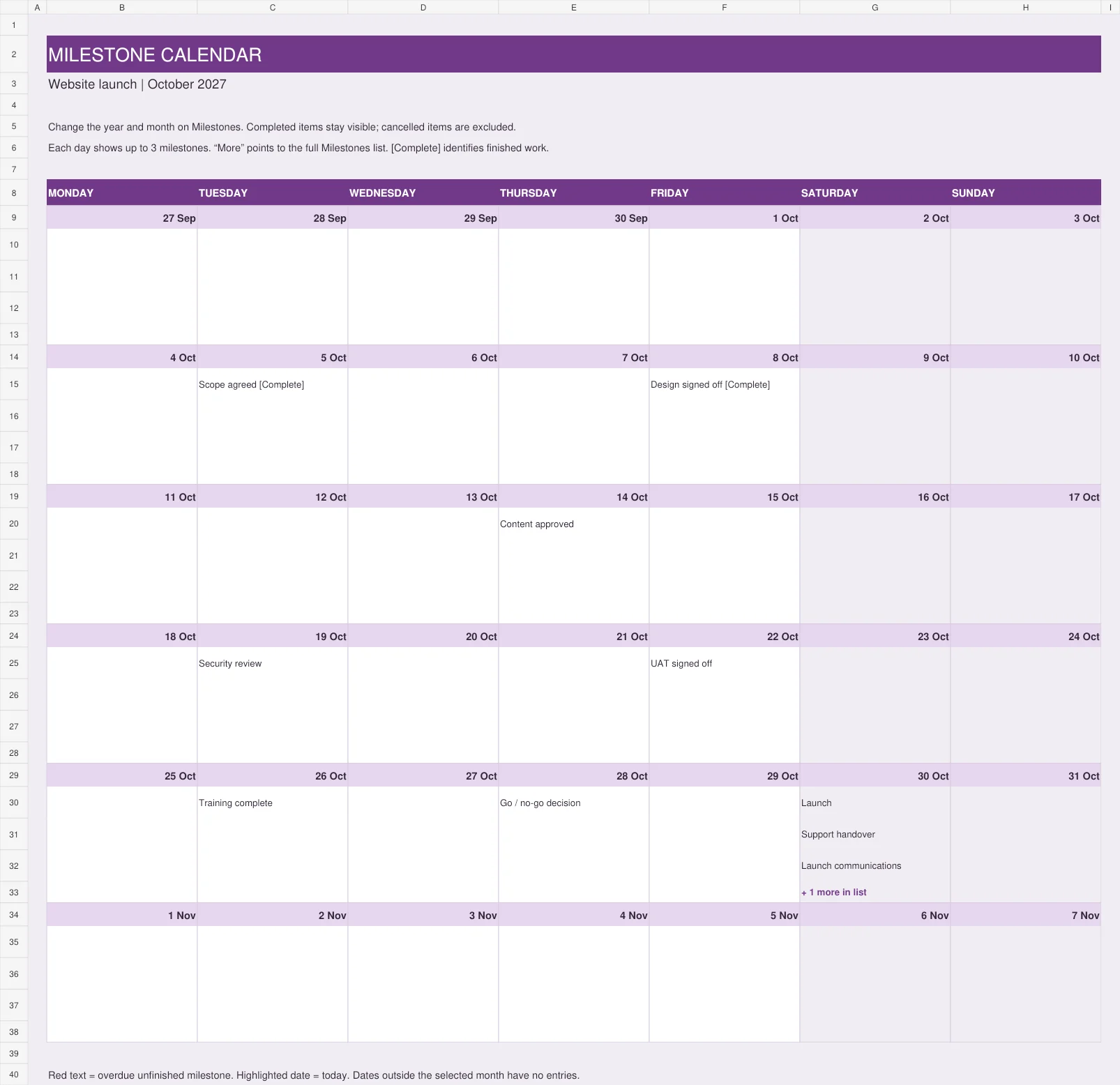
Light theme
White calendar cells, pale backgrounds and plum headings.
Download 2027 light (.xlsx)Download 2026 light (.xlsx)Dark theme
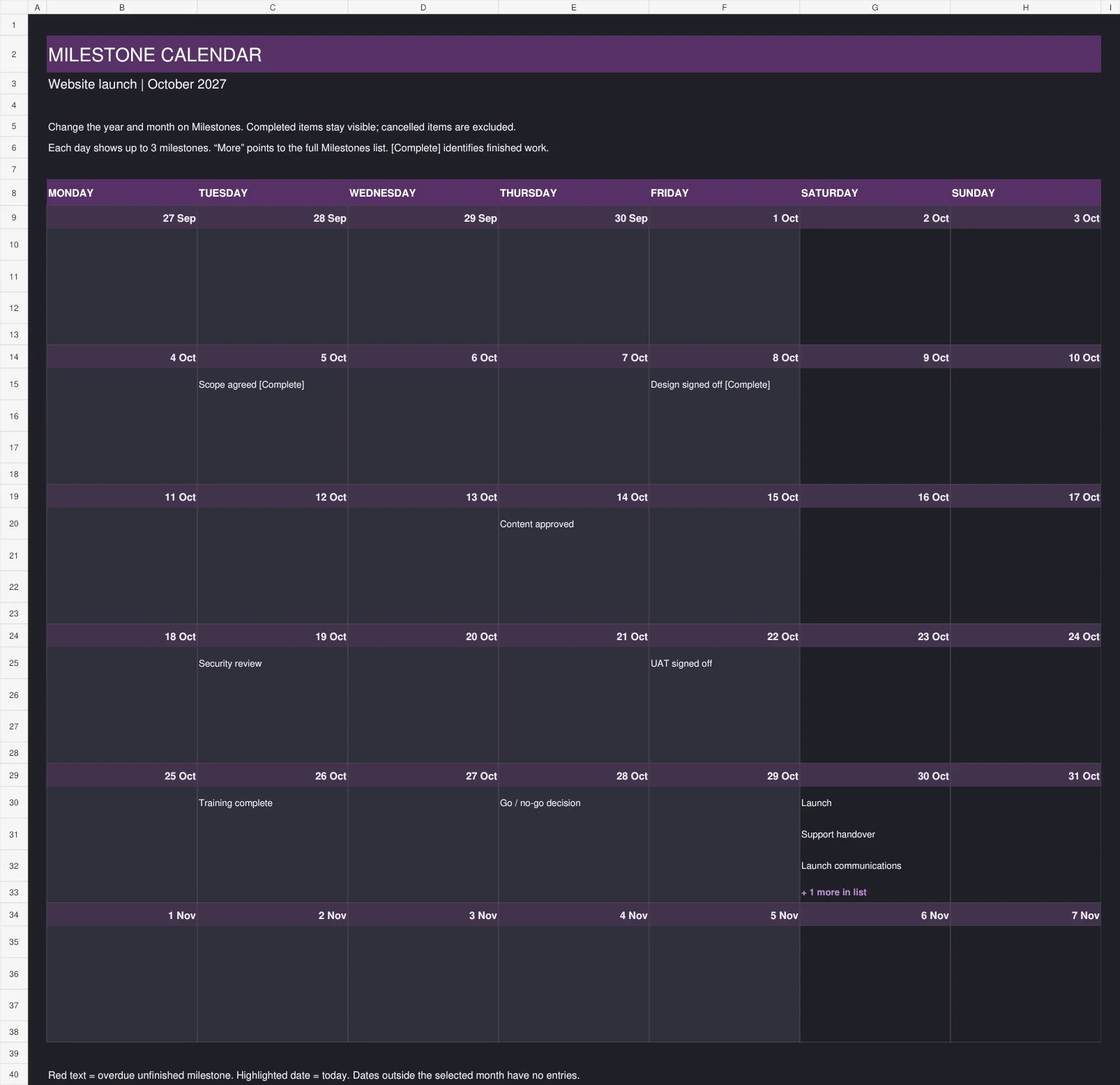
Charcoal calendar cells, light text and lavender accents.
Download 2027 dark (.xlsx)Download 2026 dark (.xlsx)Choose one version as your working file. The light and dark downloads are separate workbooks; edits do not sync between them.
What is included?
| Worksheet | What you can do |
|---|---|
| Calendar | See one month, with Monday as the first day of the week. Each date shows up to three milestone titles, plus an overflow count when there are more. |
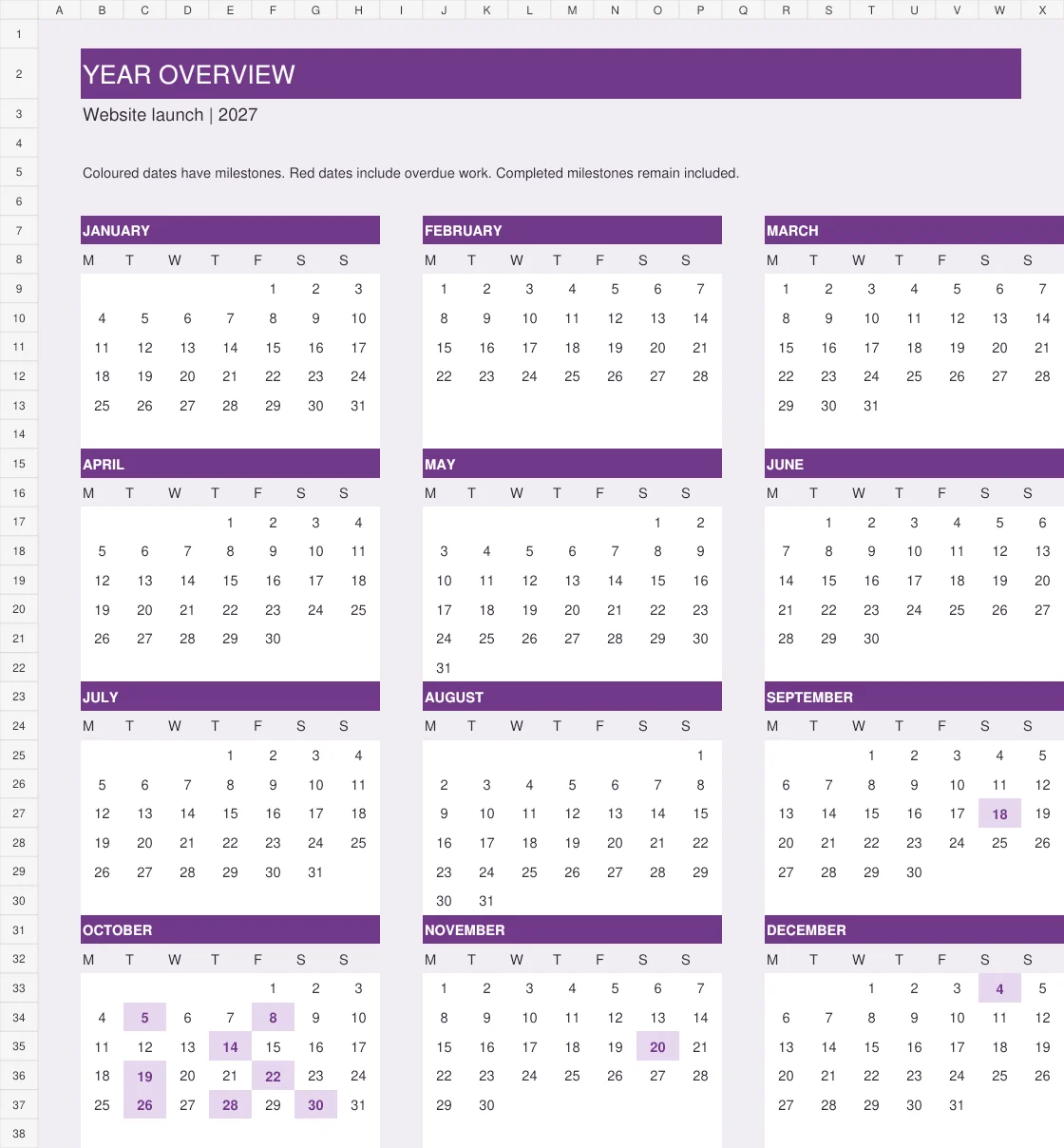
| Year overview | See all 12 months. Coloured dates show where milestones fall, helping you spot busy periods. |
| Milestones | Enter titles, due dates, owners, workstreams, status and notes. Choose the calendar year and month here. |
| Resources | Open related stakeholdermap.com planning guides and template pages. |
The workbook calculates whether unfinished milestones are overdue, due within seven days or upcoming. Completed milestones stay visible. Cancelled milestones are excluded from the calendar views.
See the light and dark calendars
These previews show the example project in October 2027. Select an image to enlarge it.
Light theme
Dark theme
Year overview
How to use the milestone calendar
- Open the Milestones sheet. Change the project name in C5, the year in C6 and the month number in F6. Enter 1 for January, 2 for February, and so on.
- Replace the example entries. Use columns B to G in rows 11 to 210. To start with an empty list, clear the contents of B11:G210. Keep the rows and the formulas in columns H and I.
- Add your team. Replace the example names in L11:L30, then choose owners from the dropdown in column D.
- Give each milestone a date and owner. Use a short title on the calendar and put acceptance criteria or extra detail in the Notes / acceptance column.
- Update the status. Choose Planned, In progress, At risk, Complete or Cancelled. Check the calculated Timing column for dates that need attention.
- Review the calendar with your team. Use the monthly view for delivery discussions and the year overview for the bigger picture. Filter the Milestones list to see every entry on a busy date.
The Review date uses Excel's TODAY() function. Overdue highlighting therefore follows the current date when the workbook recalculates.
What makes a useful milestone?
A milestone marks an important result, decision or event. Make it clear what must be true before you can call it complete. “Design signed off” tells the team more than “Design”.
| Milestone | Evidence that it is complete |
|---|---|
| Scope agreed | The sponsor has approved the scope and exclusions. |
| User acceptance testing signed off | The business approver has accepted the test results. |
| Go / no-go decision | The named decision maker has confirmed whether launch can proceed. |
| Support handover complete | The support team has accepted ownership and received the required information. |
Keep the calendar focused on important checkpoints. Use an activity list for the work needed to reach them. The calendar does not calculate dependencies, task durations or a critical path.
Frequently asked questions
Can I use the calendar for another year?
Yes. Change the year in C6 on the Milestones sheet. The calendar layouts update automatically. Check that your milestone due dates are in the year you want to display.
Can I add more than three milestones to a date?
Yes. The monthly calendar displays the first three in list order and a “more in list” count. Use the filters on the Milestones sheet to see the full list for that date.
Can I add more than 200 milestones?
The supplied formulas cover rows 11 to 210. Entries outside those rows will not appear automatically. Extending the template requires updating its formulas and dropdown ranges.
Why is a milestone missing from the calendar?
Check that it has a title and a valid Excel date, falls in the selected month and year, and is not marked Cancelled. If the date has more than three milestones, check the overflow count and the full list.
Does the workbook send reminders?
No. It highlights dates within Excel. It does not send emails or add appointments to Outlook or Google Calendar.
Can I print the calendar?
Yes. The light version uses less ink. Select the calendar area and use Excel's Print Selection option. Check Print Preview, choose a suitable paper size and adjust scaling so the text stays readable.
Does it need macros or add-ins?
No. These are standard .xlsx workbooks using formulas and dropdowns. They were designed for Microsoft Excel. Other spreadsheet applications may display formatting or controls differently.
More project planning templates
- Milestone list template: add more detail about each checkpoint.
- WBS dictionary template: define deliverables and acceptance criteria.
- Project status report: report progress and highlight issues.
- Browse all project management templates.