

Digital Strategy Template
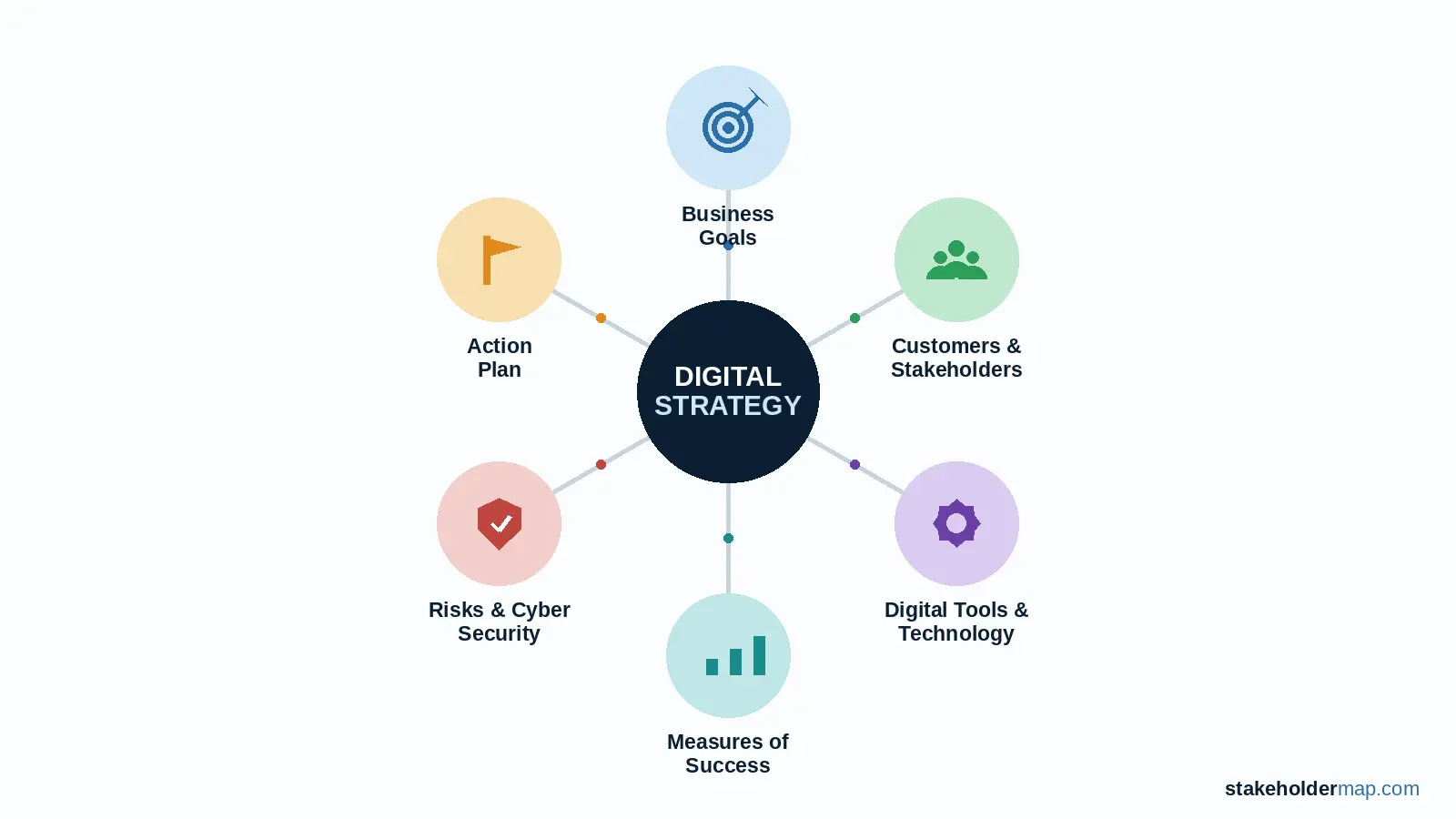
Use this digital strategy template to decide where digital technology can help your business, who needs to be involved and what you will do next.
A useful digital strategy is not a shopping list of software. It starts with the business problem or opportunity. It then links your goals to customers, stakeholders, technology, costs, risks and measurable actions.
Need to write a digital strategy?
The template gives you a ready-made structure, prompts for each section and an action plan so you can move from ideas to delivery.
Table of Contents:
- What is a digital strategy?
- Contents of the digital strategy template
- 1. Identify customers and stakeholders
- 2. Assess your current digital position
- 3. Set digital goals
- 4. Choose digital channels and tools
- 5. Decide how you will measure success
- 6. Plan for risks and cyber security
- 7. Plan your budget and resources
- 8. Create an action plan
- 9. Plan skills, training and change
- 10. Review and update your strategy
- Digital strategy example
- Download the digital strategy template
- Related templates and guides
What is a digital strategy?
A digital strategy explains how you will use digital technology to support your business goals. It sets out what you want to improve, which tools or channels you will use, who is responsible and how you will measure results.
Your strategy might cover your website, customer relationship management system, automation, online sales, data, artificial intelligence, collaboration tools or digital customer service. The right mix depends on what your organisation needs to achieve.
What’s inside the Digital Strategy Template?
Preview some of the pages included in the editable Word template.


Select the arrows or dots to preview pages from the Word template.
The template takes you from your current position to a practical action plan. You can use the full document for a business-wide strategy or remove sections for a smaller project.
| Section | What you will decide |
|---|---|
| Customers and stakeholders | Who needs the change and who can affect it. |
| Current digital position | What works now, what causes problems and where the gaps are. |
| Digital goals | The business results you want digital technology to support. |
| Channels and tools | Which platforms, systems or services best fit your goals. |
| Measures | How you will know whether the strategy is working. |
| Risks and cyber security | What could go wrong and how you will reduce the risk. |
| Budget and resources | What the work will cost and who you need. |
| Action plan | What will happen, who owns it and when it is due. |
| Skills and change | What people need to learn and how you will support adoption. |
| Review | When you will check progress and update the strategy. |
1. Identify customers and stakeholders
Start with the people affected by the strategy. Customers matter, but so do staff, managers, suppliers, partners, regulators and anyone who owns or supports your systems.
For each important stakeholder, record what they need from the change, how much influence they have and how you will involve them. Use our stakeholder analysis guide if you need a fuller assessment.
| Stakeholder | What they need | Influence | How we will involve them |
|---|---|---|---|
| Customers | Fast, simple online service | High | User research and testing |
| Front-line staff | Less duplicate data entry | Medium | Workshops and pilot testing |
| Senior managers | Better information and value for money | High | Monthly progress review |
| IT support | Secure, supportable systems | High | Design and supplier review |
2. Assess your current digital position
Record the tools and channels you use now. Focus on what users experience rather than producing a long technical inventory.
Look for strengths
- Tools people already use well.
- Reliable data or systems.
- Digital channels customers prefer.
- Processes that are already efficient.
Look for problems
- Repeated manual work.
- Duplicate data entry.
- Slow or confusing customer journeys.
- Systems that do not connect.
- Security or access problems.
A SWOT analysis can help if you want to look at internal strengths and weaknesses alongside external opportunities and threats.
3. Set digital goals
Write goals that describe an outcome, not just a technology purchase. "Install a CRM" is an activity. "Cut the time needed to answer customer enquiries by 30%" is a measurable business goal.
| Business need | Digital goal | Target |
|---|---|---|
| Too much manual administration | Automate routine order processing | Cut admin time by 25% |
| Customers struggle to get updates | Add online order tracking | Cut status enquiries by 40% |
| Management reports are slow | Create a live reporting dashboard | Produce weekly reporting automatically |
Keep the number of top-level goals manageable. If you have a long list, group related ideas and prioritise the goals that give the clearest business benefit.
4. Choose digital channels and tools
Choose technology only after you know the goal and the people involved. Depending on your needs, your strategy may cover:
- website and ecommerce;
- social media and email;
- customer relationship management;
- accounting and finance tools;
- project and task management;
- document collaboration and file storage;
- automation and workflow tools;
- data dashboards and reporting; and
- artificial intelligence.
Compare options against practical criteria such as user needs, cost, security, integration, support, accessibility and the effort needed to change existing processes.
5. Decide how you will measure success
Give each digital goal at least one measure. Record the starting position so you can compare results later.
| Goal | Measure | Baseline | Target | Review date |
|---|---|---|---|---|
| Improve website enquiries | Qualified enquiries each month | 40 | 55 | 30 June |
| Reduce manual processing | Minutes per order | 18 | 10 | 31 July |
| Improve customer service | Average response time | 2 days | 4 hours | 31 August |
6. Plan for risks and cyber security
Digital change creates opportunity, but it also creates risk. Add important risks to your strategy and manage them through your normal risk register process.
Common areas to check include:
- cyber security and account access;
- privacy and personal data;
- system availability and backup;
- supplier failure or lock-in;
- poor data quality;
- integration problems;
- unexpected costs; and
- low staff or customer adoption.
7. Plan your budget and resources
Include both one-off and ongoing costs. A low initial price can be misleading if the tool needs paid support, licences, storage, training or development later.
| Cost area | Examples | Estimated cost |
|---|---|---|
| Software | Licences, subscriptions, add-ons | £ |
| Hardware | Devices, network equipment | £ |
| Development | Website, integrations, automation | £ |
| People | Internal time, contractors, specialist support | £ |
| Training | Courses, coaching, learning materials | £ |
| Ongoing support | Maintenance, hosting, support contracts | £ |
8. Create an action plan
Turn each goal into specific actions. Give every action one owner and one due date. If nobody owns an action, it is unlikely to happen.
| Action | Goal | Owner | Priority | Due | Status |
|---|---|---|---|---|---|
| Map the current enquiry process | Faster customer response | Operations Manager | High | 15 May | Not started |
| Shortlist CRM options | Faster customer response | Sales Manager | High | 31 May | Not started |
| Run a staff pilot | Faster customer response | Project Lead | Medium | 30 June | Not started |
For a separate tracker, use the project actions template.
9. Plan skills, training and change
A technically sound system can still fail if people do not understand it or do not see why they should use it. Identify the groups whose work will change and involve them early.
For each group, ask:
- What will change in their day-to-day work?
- What do they need to know or learn?
- What concerns are they likely to have?
- Who will answer questions and provide support?
- How will you check that the new way of working is being used?
Use the training plan template for larger changes.
10. Review and update your strategy
Treat the strategy as a working document. Review it at agreed points and compare the results with your goals and measures.
Update the strategy when customer needs change, a project delivers new information, costs shift or a better option becomes available. Do not change direction just because a new tool looks interesting. Check it against the business goal first.
Digital strategy example
This short example shows how the sections connect. Imagine a small professional services firm that handles customer enquiries through shared email inboxes and spreadsheets.
Example: improve enquiry handling
- Business problem
- Enquiries are copied between inboxes and spreadsheets, so responses are slow and work is sometimes duplicated.
- Digital goal
- Cut average response time from two working days to four hours within six months.
- Stakeholders
- Customers, customer service staff, sales staff, managers and IT support.
- Proposed change
- Introduce a shared CRM workflow with clear ownership, automated acknowledgements and a simple management dashboard.
- Measures
- Response time, open enquiries, customer satisfaction and percentage of enquiries recorded correctly.
- Main risks
- Poor data migration, low staff adoption, access permissions and higher than expected subscription costs.
- First actions
- Map the current process, gather user needs, shortlist options, test with a small group and review the pilot before wider rollout.
Download the digital strategy template
Download the editable Word template and replace the prompts and example text with information about your organisation.
Free Digital Strategy Template
Includes stakeholder analysis, current digital position, goals, tools, measures, risks, budget, action plan, skills and review sections.
Template note: check the download path before publishing if the Word file has not yet been uploaded.
Related templates and guides
Stakeholder analysis
Identify the people and groups who can affect your strategy or will be affected by it.
SWOT analysis template
Assess strengths, weaknesses, opportunities and threats before setting priorities.
Risk register
Record, assess and manage the risks linked to digital change.
Action plan template
Give actions clear owners, dates, priorities and status.
Source and further reading
This StakeholderMap template uses a project and stakeholder management approach. It was informed by the Australian Government's guidance on developing a digital strategy, which covers audiences, goals, digital channels and tools, measurement, cyber security, budget, actions, training and review.