A task dependency is a relationship that controls when one task can start or finish in relation to another.
If this task slips, what happens next?
Configuration needs the installed software. Delay installation and watch the effect.
Simplified example: working days, no spare time between tasks, and resources available.
But not every task has to wait. Some can overlap. Others depend on when another task finishes—or starts.
Explore the four dependency typesFull contents
Predecessors and successors
Choosing the right dependency helps you build a project schedule that reflects how the work will happen.
Defining the dependencies between tasks helps you determine which tasks start when, as well as when the project might finish (Biafore, 2010, p. 70).
In any project there will be an order in which tasks need to be completed. A wall cannot be built until it has a foundation, and on-premises software cannot be configured until it is installed.
There are two types of tasks in dependency relationships: the predecessor and the successor. Successor tasks are dependent on predecessor tasks. (Daley, 2011, p. 46)
For example, laying the foundation is a predecessor of building the wall. The foundation must be finished before building the wall can start.
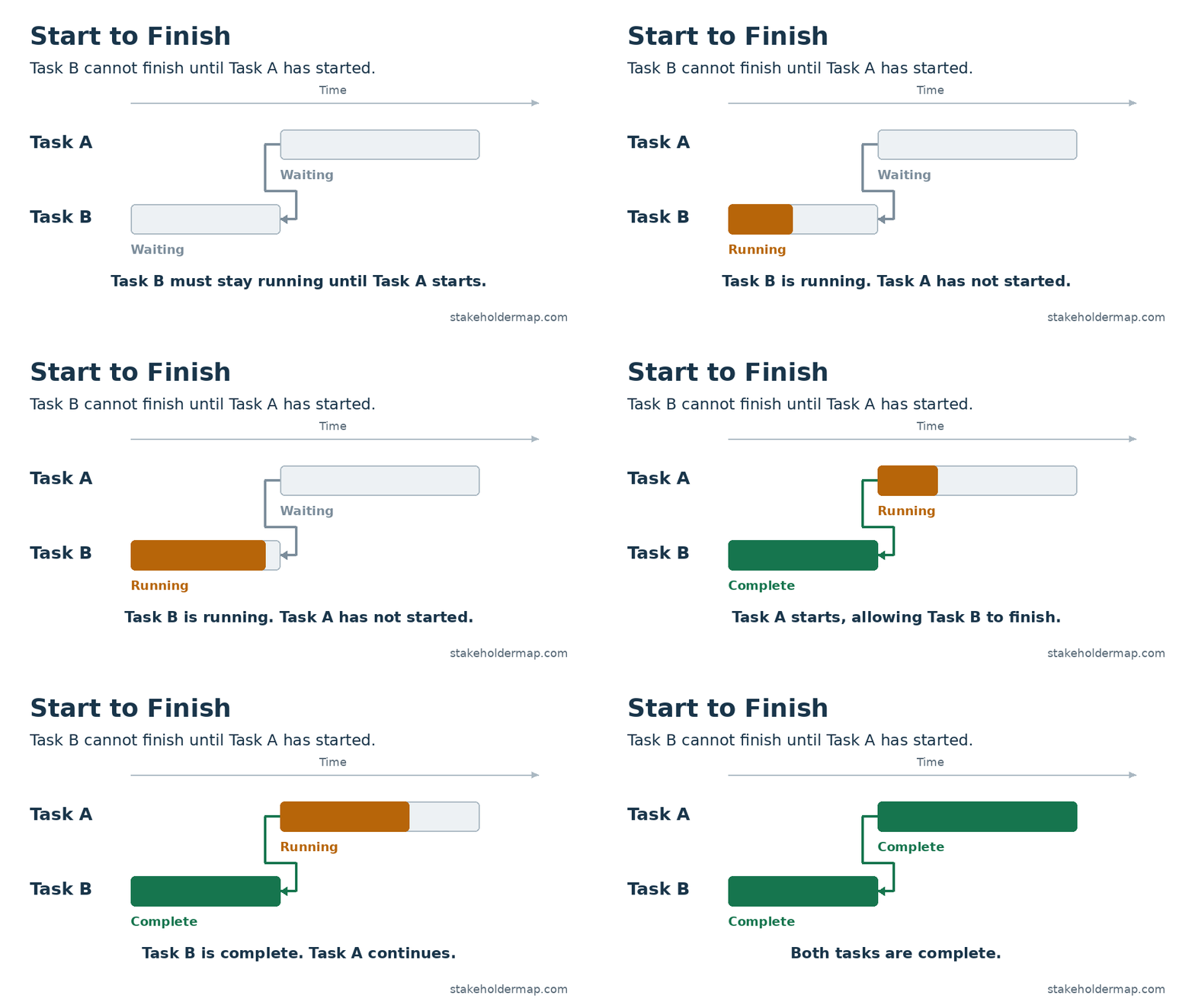
In the examples below, Task A is the predecessor and Task B is the successor. These labels describe the dependency, not necessarily the order in which the tasks begin. In a start-to-finish relationship, Task B may already be running before Task A starts.
The four task dependency types
Task dependency types set the relationship between a successor task and its predecessor. Read each name from Task A to Task B: the first word identifies the event in A, and the second identifies the event it controls in B.
| Type | Rule | Project example |
|---|---|---|
| Finish to Start (FS) | B cannot start until A finishes. | Install software before configuring it. |
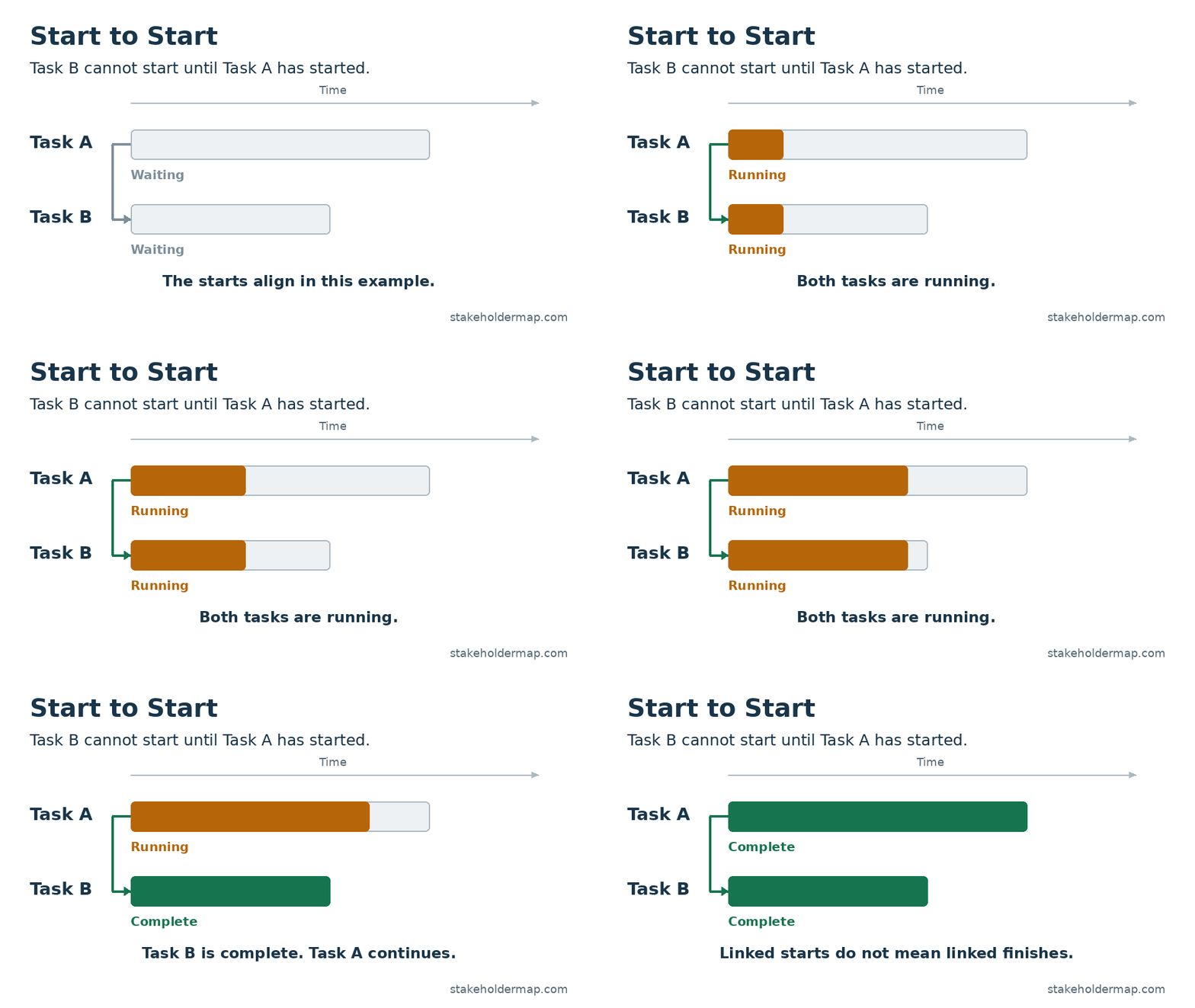
| Start to Start (SS) | B cannot start until A starts. | Start excavation before laying pipes in completed sections. |
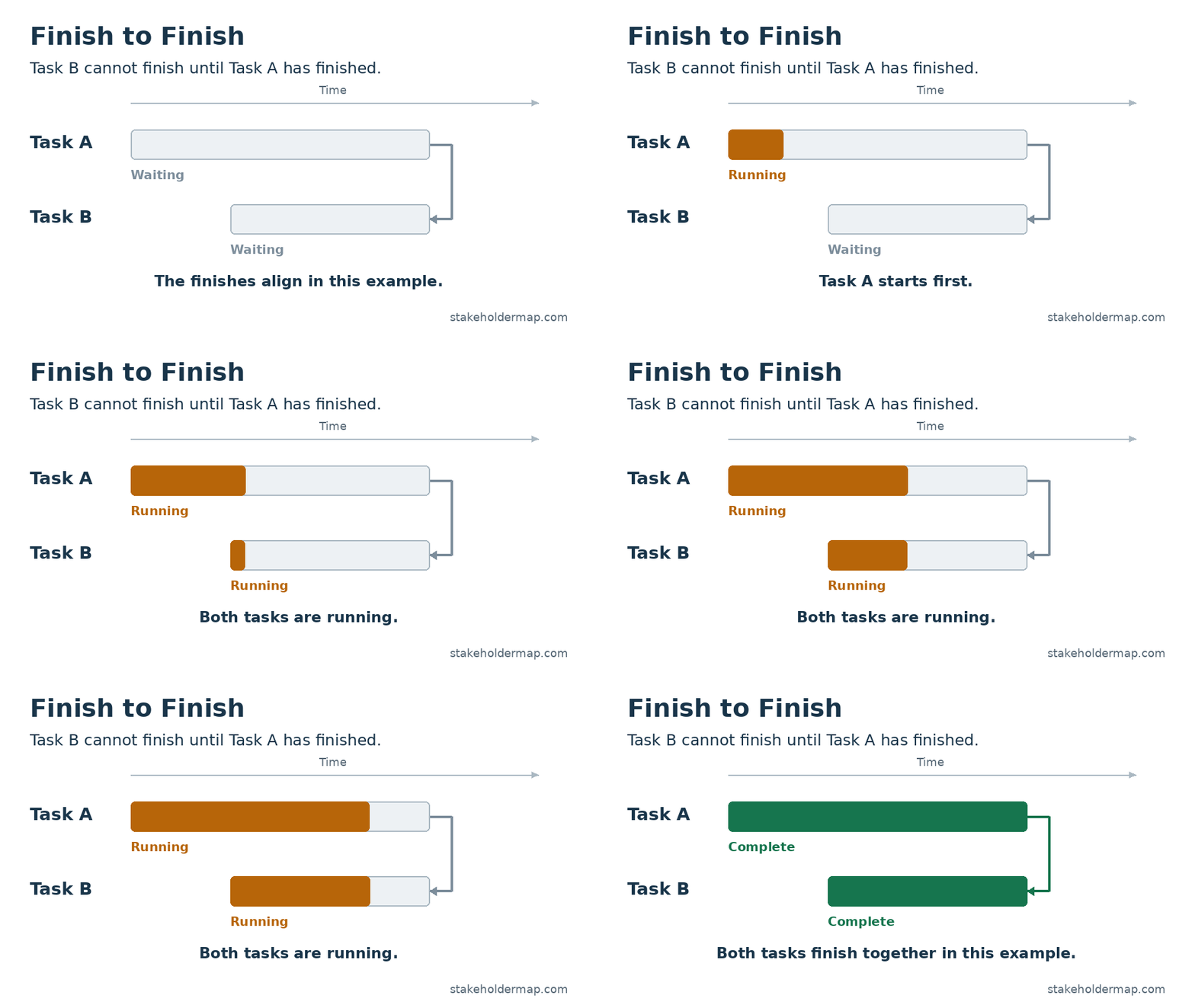
| Finish to Finish (FF) | B cannot finish until A finishes. | Finish writing a manual before completing its editing. |
| Start to Finish (SF) | B cannot finish until A starts. | Start using the replacement system before ending support for the old one. |
“Cannot until” does not mean “must immediately”. A dependency sets a limit. Other tasks, available people and working calendars can move the actual start or finish later.
Finish to Start (FS)
A task cannot start until its predecessor has finished. This is the most common dependency type and the default when you link tasks in Microsoft Project.
Project example: installing software
- Task A: Install the software on the project server.
- Task B: Configure the installed software.
Configuration cannot start until installation is complete. If installation finishes a day late, configuration cannot begin on its original date unless there was already spare time between the tasks.
Planning point: Use this when Task B needs a completed output from Task A. For the wall example, include any required curing or inspection before the foundation is ready for building.
Start to Start (SS)
A task cannot start until its predecessor has started. Task B does not have to start at exactly the same time as Task A.
Project example: excavating a trench and laying pipes
- Task A: Excavate the trench.
- Task B: Lay pipes in the excavated sections.
The pipe-laying crew can begin after excavation has started and a suitable section is ready. They do not need to wait until the entire trench is excavated.
Planning point: An SS link alone does not guarantee that a section is ready. Allow a suitable delay, or split the work into sections and link each pipe-laying task to the completion of its excavation.
Finish to Finish (FF)
A task cannot finish until its predecessor has finished. The tasks can overlap, and their start dates can differ.
Project example: writing and editing a project manual
- Task A: Write the manual.
- Task B: Edit the manual.
The editor can work on completed chapters while the author writes the rest. Editing the whole manual cannot finish until the author has finished the final chapter.
Planning point: An FF link controls the finish only. It does not ensure that a draft is available before editing starts. Use a separate draft milestone or chapter-level tasks if you need to model that requirement.
Start to Finish (SF)
A task cannot finish until its predecessor has started. For example, Task B cannot finish until Task A has started.
Project example: replacing a business system
- Task A: Run the new order-processing system.
- Task B: Maintain the old system during the transition.
The old system must remain available until the new system is running, so customers can continue placing orders. If the launch is delayed, support for the old system must continue.
Planning point: The two systems may also run together for a trial period. The SF link sets the earliest Task B can finish; it does not require it to finish immediately. If closure also needs a successful trial or approval, show that as a separate requirement in the plan.
How to choose a dependency
- Name the work clearly. Use tasks with a defined result, such as “Install the software” or “Approve the design”.
- Ask what must happen first. Does Task B need A to start or finish? Does that event control B’s start or its finish?
- Check the link with the people doing the work. Confirm what must be ready, who supplies it and whether partial handovers are possible.
- Record any waiting time or overlap. Include the reason, so another planner can understand the link.
- Review the effect of a delay. Check which tasks move and whether the delay affects the critical path or the project finish date.
Link tasks because the work requires it. If two unrelated tasks share one specialist, record that resource limit too. It may affect the schedule even when neither task needs an output from the other.
Allowing for delays and overlap
Lag adds a waiting period to a dependency. For example, if a coating needs a specified drying period before the next coat, allow that time after the first coat finishes. Use the actual product requirements to set the delay.
Lead allows an overlap. For example, preparing a training pack might begin two days before the full manual is finished, provided the necessary chapters are ready. In Microsoft Project, lead is entered as a negative lag.
Where a handover matters, a named task or milestone such as “Training chapters approved” can make the plan clearer than an unexplained time offset. The animations above show the basic relationships without lead or lag.
References and further reading
S. Daley. (2011) Microsoft Project 2010 in Depth. Pearson Education, Inc. p.48.B. Biafore, (2010) Microsoft Project 2010: The Missing Manual (Missing Manuals). p. 70.
Microsoft Support: Link tasks in a project. Guidance on link types and scheduling in Microsoft Project.